
Le développeur de Movian, Andreas Smas, nous propose son Movian Remote Control destiné à être utilisé avec Movian. L'objectif de Movian Remote Control est de pouvoir contrôler le lecteur multimédia avec divers portages, comme Movian est porté sur Android, Raspberry Pii et d'autres version web utilisant des app chrome vous allez pouvoir contrôler facilement le lecteur avec Movian Remote Control via une tablette, un téléphone... attention pour que le Remote control fonctionne il faut disposer de la version récente Movian v5.0.39 ou ultérieure.
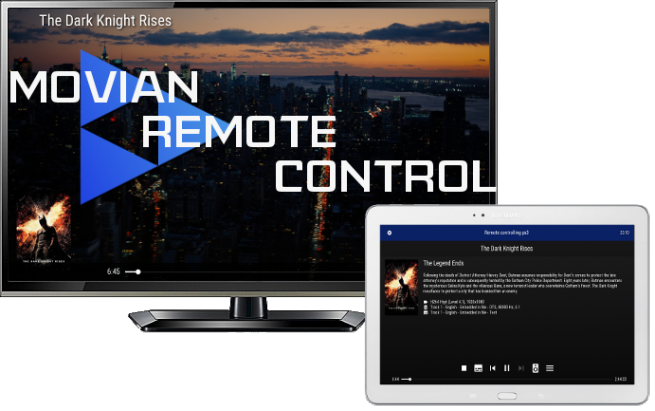
Available from Movian 5.0.39 and up.
All running Movians on your local network will appear inside the Local Network item found on the Home screen.
Tap the Movian icon and you will immediately gain control of the device. Both user interfaces will now work in lock-step.
You can even have multiple controllers connected simultaneously and all will stay in sync with each other.
Video playback
During video playback an alternate screen is shown on the controlling devices rather than also displaying the video. All controls and settings are also found on the controlling device.
Makes it very easy to sele subtitles, adjust video pan, etc without disrupting the main view.
Settings
The ability for a device to be remote controlled can be turned off in Settings -> Network . You can pin devices to the Home screen on your controller in Settings -> Discovered Media Sources
Hope you'll like it. I certainly do.
Over and out,
Andreas
Téléchargement ici : Movian Remote Control